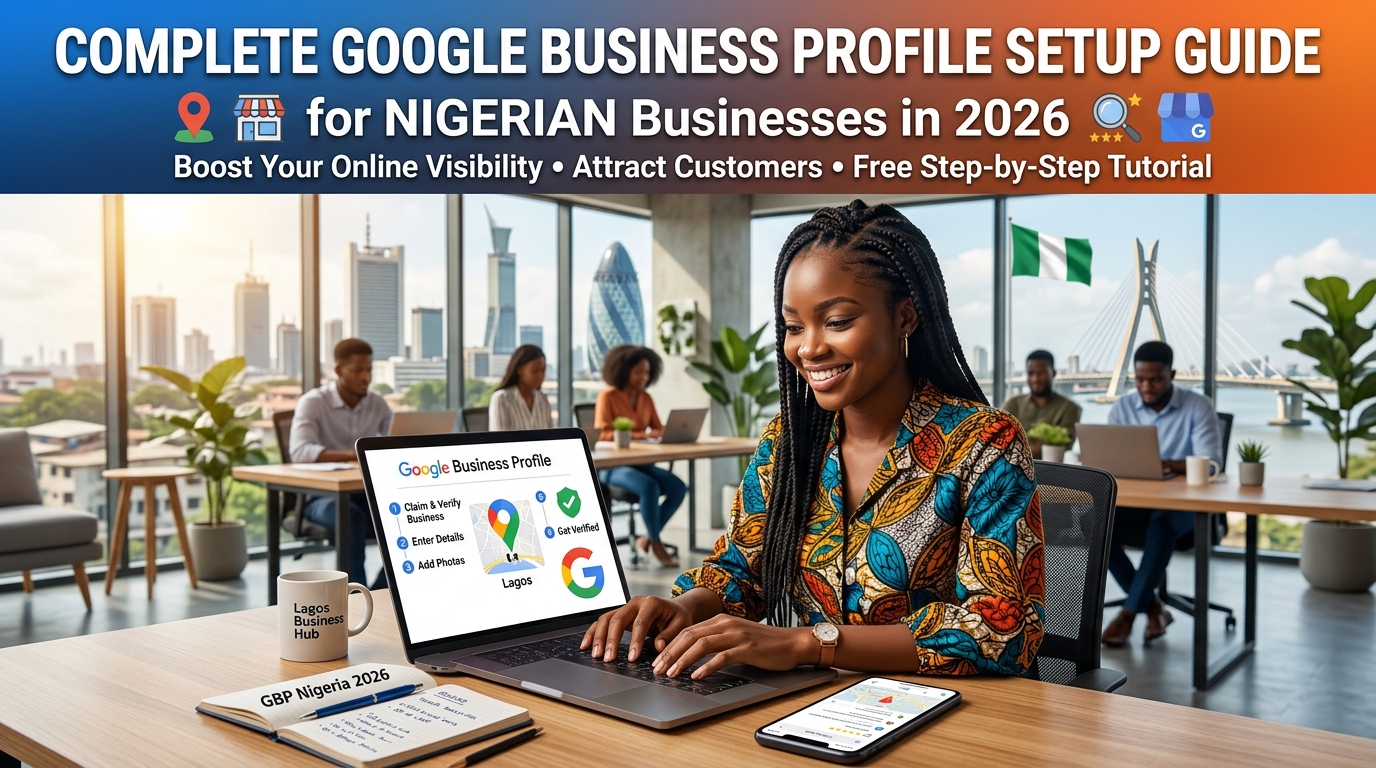
If your Nigerian business is not on Google Maps, you are invisible to the customers who matter most, the ones actively searching for what you sell, right now, in your city.Not invisible in a "hard to find" sense. Invisible in a "does not exist" sense. When a potential customer in Lagos searches "electrician in Surulere" or a buyer in Abuja types "furniture store near me," Google returns a short list of local businesses with a map, a phone number, a star rating, and opening hours. Those businesses get the call. Everyone else does not exist.That short list is called the Google Maps local pack. The tool that controls whether your business appears in it is called your Google Business Profile and it is completely free.Most Nigerian businesses have never set one up properly. Some have a listing that Google auto-generated with incorrect information. Others claimed their profile years ago and have not touched it since. A small number of the ones consistently appearing at the top of local searches in their city have treated their GBP as the marketing asset it actually is.This guide will walk you through every step of setting up and optimising your Google Business Profile in 2026. By the end, you will have a listing that works for your business around the clock, attracting customers who are already searching for exactly what you offer.What is a Google Business Profile and why does it matter in Nigeria?Your Google Business Profile is the listing that appears when someone searches for your business by name, or when someone searches for a type of business in your area. It controls the information that appears in Google Maps, in the local pack results, and in the knowledge panel on the right side of a Google search.It includes your business name, address, phone number, website link, opening hours, photos, reviews, and more. When someone searches "dry cleaners in Ikeja" and three businesses appear on a map at the top of the page those three businesses have well-optimised Google Business Profiles. Everyone ranked below them, or not ranked at all, does not.Here is why this matters specifically in Nigeria right now.Nigeria has over 100 million internet users, the majority of whom access the internet on a mobile phone. Google holds over 97% of the Nigerian search engine market. Every day, millions of Nigerian consumers search for local businesses, restaurants, mechanics, doctors, tailors, pharmacies, event centres, logistics companies and they search on Google.The gap between Nigerian businesses that have claimed and optimised their GBP and those that have not is enormous. In most Nigerian cities and most business categories, fewer than 30% of local businesses have a properly set up GBP. That means if you do this correctly, you are immediately ahead of at least 70% of your competitors without spending a single naira on advertising.That gap will not last forever. Start now.Before you begin: what you needSetting up your Google Business Profile requires the following:A Google account (Gmail address)Your exact business name as it legally appears or as customers know itYour physical address or, if you operate a service-area business without a public storefront, your service areasYour primary business phone numberYour business categoryYour website URL (if you have one you can set up a GBP without a website)A way to verify your business, typically by receiving a postcard, a phone call, or a video verification through GoogleThe entire setup process takes between one and three hours. The optimisation photos, posts, and review management is ongoing, but the foundation can be built in a single sitting.Step 1: Claim or create your listingGo to business.google.com and sign in with your Google account.Search for your business name. Google may already have an auto-generated listing for your business especially if you have been operating for some time and customers have left reviews or tagged your location on Maps. If a listing appears, click "Claim this business." If nothing appears, click "Add your business to Google."Critical rule: Before you create a new listing, search thoroughly for your business name. Creating a duplicate listing a second GBP for the same business confuses Google and harms your ranking. If you find a listing that was created by someone else or that you cannot access, use the "Claim this business" or "Request ownership" option.If someone else has claimed your business listing a former employee, a previous owner, or an agency you no longer work with you can request ownership through Google's support process. You will need to verify that you are the current business owner.Step 2: Enter your business name exactlyYour business name on your GBP must match exactly how your business appears everywhere else your signage, your website, your receipts, and your other online listings.Do not add keywords to your business name. If your business is called "Adewale Plumbing Services," your GBP name should be "Adewale Plumbing Services" not "Adewale Plumbing Services | Best Plumber in Lagos." Adding keywords to your business name violates Google's guidelines and can result in your listing being suspended.Consistency is the priority. Google uses the consistency of your business name, address, and phone number across the internet as a trust signal. Inconsistencies reduce your ranking. We cover this in more detail in Step 6.Step 3: Choose your business category carefullyYour primary category is the single most important ranking factor in your GBP after your physical location. Google uses it to determine which searches your listing is relevant for.Choose the category that most specifically describes your core business. If you are a restaurant, do not select "Food" select the most specific option available: "Nigerian Restaurant," "Fast Food Restaurant," "Seafood Restaurant," or whichever fits your primary offering.You can add up to nine secondary categories to describe additional services. Use these. A car wash that also offers interior detailing, engine cleaning, and car AC repair should add all of these as secondary categories. Each additional category expands the searches your listing can appear for.Take time with this step. Research what categories your highest-ranking competitors in your city are using. Open their GBP listings (visible by searching their name on Google), scroll to the category section, and note which primary category they have selected. This is public information and a legitimate source of intelligence.Step 4: Add your location or service areaIf you have a physical storefront or office where customers visit a shop, a restaurant, a salon, a clinic, enter your full address including the street name, building number, local government area, state, and country. Be precise.If you operate a service-area business a plumber, electrician, caterer, delivery service, or consultant who goes to the customer rather than the other way around you can hide your address and instead define your service areas. Add every city, LGA, or state where you actively serve customers.For service-area businesses in Nigeria, be generous but honest with your service areas. If you are a Lagos-based caterer who regularly serves clients in Lekki, Victoria Island, Ajah, Ikoyi, and Surulere add all of them. Do not add Abuja if you do not operate there. Google will verify your proximity to searchers when determining local rankings, and listing areas you do not serve will not help you rank there.Step 5: Write a business description that works for both people and GoogleYou have 750 characters for your business description. Most Nigerian businesses either leave it blank or write something so generic it could apply to any business in any country.Your description should do three things: tell potential customers what you do, where you do it, and why they should choose you. It should include your primary service type, your city or region, and two or three specific reasons you are worth calling.Here is an example of a weak description:"We are a professional catering company providing quality catering services for all events. We are committed to excellence and customer satisfaction."Here is a stronger version:"Adunni Events Catering provides corporate and private event catering across Lagos — from board meetings in Victoria Island to weddings in Lekki and Ajah. We specialise in contemporary Nigerian cuisine and continental dishes for 20 to 500 guests, with full setup, serving staff, and cleanup. Trusted by over 200 Lagos families and businesses since 2019."The second version tells Google what the business does, where it operates, what it specialises in, and how large it is all signals that help match the listing to relevant searches. It also tells a potential customer everything they need to decide whether to call.Write your description for the customer first. The SEO benefit comes from being specific and clear, not from forcing keywords unnaturally.Step 6: Add your phone number, website, and opening hoursAdd your primary business phone number — the one you answer most reliably and that is consistent with every other place your number appears online.This consistency point deserves emphasis. If your number appears as "0801 234 5678" on your website, "08012345678" on Jumia Food, and "234-801-234-5678" on a directory site, Google sees three different numbers and loses confidence in your listing. Pick one format and use it everywhere. The same applies to your business name and address.Add your website URL if you have one. If you do not, you can skip this for now — but building a basic website for your business is worth prioritising, as it significantly strengthens your overall local SEO.Set your opening hours accurately. Keep them updated. If your hours change for public holidays, use the "Special hours" feature to reflect this. A customer who arrives at your business during hours you listed as open, only to find it closed, will likely leave a negative review — and they would be justified.Step 7: Upload photos. This step is more important than most businesses realisePhotos are one of the most influential factors in whether a potential customer chooses to contact your business. Google's own data shows that businesses with photos receive significantly more direction requests and website clicks than businesses without.Upload a minimum of ten photos when you first set up your profile. Aim for twenty or more over time. The photos should include:Your exterior. A clear photo of your storefront, office, or premises from the street. This helps customers identify your location and creates a first impression before they arrive.Your interior. If customers visit your premises, a restaurant, salon, clinic, or shop show them what to expect inside. Clean, well-lit photos of your space significantly increase customer confidence.Your products or work. For product businesses, photograph your most popular items clearly and professionally. For service businesses plumbers, electricians, caterers, decorators photograph completed work. Before-and-after photos perform particularly well.Your team. A photo of you, your staff, or your crew creates a human connection. People do business with people, and seeing a real team behind a business increases trust.Do not use stock photos. Google can identify stock images and they perform significantly worse than real photos. Customers can tell the difference. A phone camera photo of your actual shop is more effective than a polished stock image of someone else's.Upload new photos regularly at least once a month. An active, frequently updated GBP signals to Google that your business is alive and engaged.Step 8: Verify your businessGoogle requires verification before your listing goes live and becomes fully rankable in Maps. The verification options available to you will depend on your business type and location.Postcard verification is the most common method. Google mails a postcard with a five-digit code to your business address. This typically takes five to fourteen days in Nigeria. When the postcard arrives, log into your GBP and enter the code.Phone or SMS verification is faster and sometimes available for eligible businesses. Google calls or texts your listed phone number with a verification code.Video verification has become more common in 2025 and 2026. Google may ask you to record a short video showing your business exterior, your signage, and proof that you operate at the listed address. This is processed within a few days.Do not attempt to verify a business at an address that is not genuinely yours. Fake address listings violate Google's policies and will eventually be suspended often after you have invested months of effort in building the profile.Once verified, your listing becomes fully active and eligible to rank in local search results and Google Maps.Step 9: Set up and publish your first GBP postGBP posts are short updates that appear on your listing in Google Search and Maps. They function similarly to social media posts but live directly on your Google profile. Most Nigerian businesses never use them, which means using them consistently is an immediate competitive advantage.You can post about a new service, a completed project, a special offer, an upcoming event, or simply a useful tip relevant to your industry. Posts expire after seven days, so posting weekly ensures your profile always has fresh, visible content.Your first post should be simple: introduce your business, mention your location and primary service, and include a call to action "Call us today," "Book a free consultation," or "Visit us at [address]."Write posts the way you would speak to a customer who walked through your door. Natural, specific, and helpful. Over time, your posts build a picture of an active, engaged business — and Google rewards activity.Step 10: Build your review strategy from day oneReviews are the most visible trust signal on your GBP. They influence whether customers choose you over a competitor. They are also a significant ranking factor businesses with more reviews and higher ratings consistently outrank businesses with fewer reviews in the same category and location.Most Nigerian businesses have between zero and five Google reviews. Many have none at all. Getting to twenty, thirty, or fifty reviews does not require running a campaign or offering incentives, it requires building a simple habit.After every completed service or sale, ask your customer directly: "Would you mind leaving us a Google review? It really helps us." Send them the direct link to your review page. This link is available in your GBP dashboard under "Get more reviews" share it via WhatsApp, SMS, or email.The timing matters. Ask immediately after a positive interaction, while satisfaction is highest. A customer who had a great meal, a successful installation, or a smooth delivery is far more likely to act at that moment than three days later.When reviews come in, respond to every single one. For positive reviews, thank the customer by name, mention your service and location naturally, and reinforce why you are glad they had a good experience. For negative reviews, respond calmly, acknowledge the feedback, and offer to resolve the issue. Never argue. Your response is as visible as the review itself potential customers read both.Step 11: Maintain your profile. The work that most businesses skipSetting up your GBP is not a one-time task. The businesses dominating Google Maps in their category and city are maintaining their profiles consistently. This is what that looks like in practice:Post once per week. Thirty minutes per week to write and publish a GBP post. Show a completed job, announce an offer, share a tip, introduce a team member. The content matters less than the consistency.Add new photos monthly. One photo session per month — even just using your phone during a job or in your space — keeps your visual content fresh and relevant.Respond to every review within 48 hours. Set a reminder. This is one of the highest-leverage activities you can do on your GBP, and it takes an average of three minutes per response.Keep your information accurate. If your hours change, update them. If you add a new service, add it to your GBP. If you move premises, update your address before the move so customers always find the right information.Monitor your Q&A section. Customers and the public can ask questions on your GBP listing. Answer them promptly and thoroughly. Unanswered questions are missed opportunities — and occasionally, Google auto-populates answers from other sources that may be inaccurate.The 12-point GBP checklist - Use this before you publishBefore you consider your GBP setup complete, verify each of the following:Business name matches exactly what appears on your signage, website, and all other listingsPrimary category is the most specific option available for your core businessAt least three secondary categories are added for additional servicesAddress is complete and accurate, or service areas are correctly definedBusiness description is 500+ characters, mentions your location and primary service, and is written for a human readerPrimary phone number is consistent with every other online listingWebsite URL is added and links to the correct pageOpening hours are accurate and special hours are set for public holidaysAt least ten photos are uploaded, including exterior, interior, and work/product imagesBusiness is verifiedFirst GBP post is publishedReview request link has been shared with at least five recent customersWhat happens after you set this upA properly set up and actively maintained Google Business Profile will not produce instant results. Local SEO has a compounding nature, the first four to eight weeks often feel slow. Then the signals accumulate. Your listing becomes more trusted. Your position improves. The calls start coming from customers who found you on Google rather than through a referral.The businesses we work with at Localeadr that follow this process consistently posting weekly, adding photos monthly, asking for reviews after every job, and keeping their information current typically begin seeing meaningful ranking movement within six to twelve weeks. Some faster, some slower, depending on the competitiveness of their category and city.The point is to start. Every week you delay is a week your competitor who has done this correctly widens their advantage.Want to know how your current GBP stacks up?We built a free Google Business Profile audit checklist, 12 questions that show you exactly what is missing from your listing and what to prioritise first. It takes five minutes to complete and it is free.[Download the free GBP audit checklist →]If you would rather we do the audit for you, book a free 20-minute call with our team. We will review your GBP, check your citation consistency, and tell you exactly where you stand and what to fix first.
Complete Google Business Profile Setup Guide for Nigerian Businesses in 2026
If your Nigerian business is not on Google Maps, you are invisible to the customers who matter most, the ones actively searching for what you sell, right now, i...

Frequently Asked Questions
The best alternative is combining automated proximity intelligence with generative engine optimization (GEO) on Localeadr. Rather than paying expensive retainers for slow manual updates, automated systems monitor AI search discovery, audit NAP citations continuously, and resolve local visibility gaps in real time.
While legacy tools often hide pricing behind enterprise sales demos and charge unpredictable fees, modern AI-driven visibility platforms like Localeadr offer transparent pricing starting from predictable monthly tiers with zero hidden usage penalties.
Traditional SEO optimizes primarily for 10 blue links on desktop and mobile. Generative Engine Optimization (GEO) optimizes brand authority and contextual relevance so large language models (ChatGPT, Claude, Gemini, Perplexity) directly cite and recommend your business in conversational answers.
Not at all. Localeadr automates prompt testing across OpenAI, Anthropic, Google Gemini, and Perplexity, reporting your brand's share of voice, sentiment, and keyword visibility directly inside a unified dashboard.
Most businesses notice measurable proximity improvements in Google Maps and local 3-pack rankings within 30 to 60 days once citation inconsistencies are cleared, Google Business Profile signals are refreshed, and review velocity stabilizes.